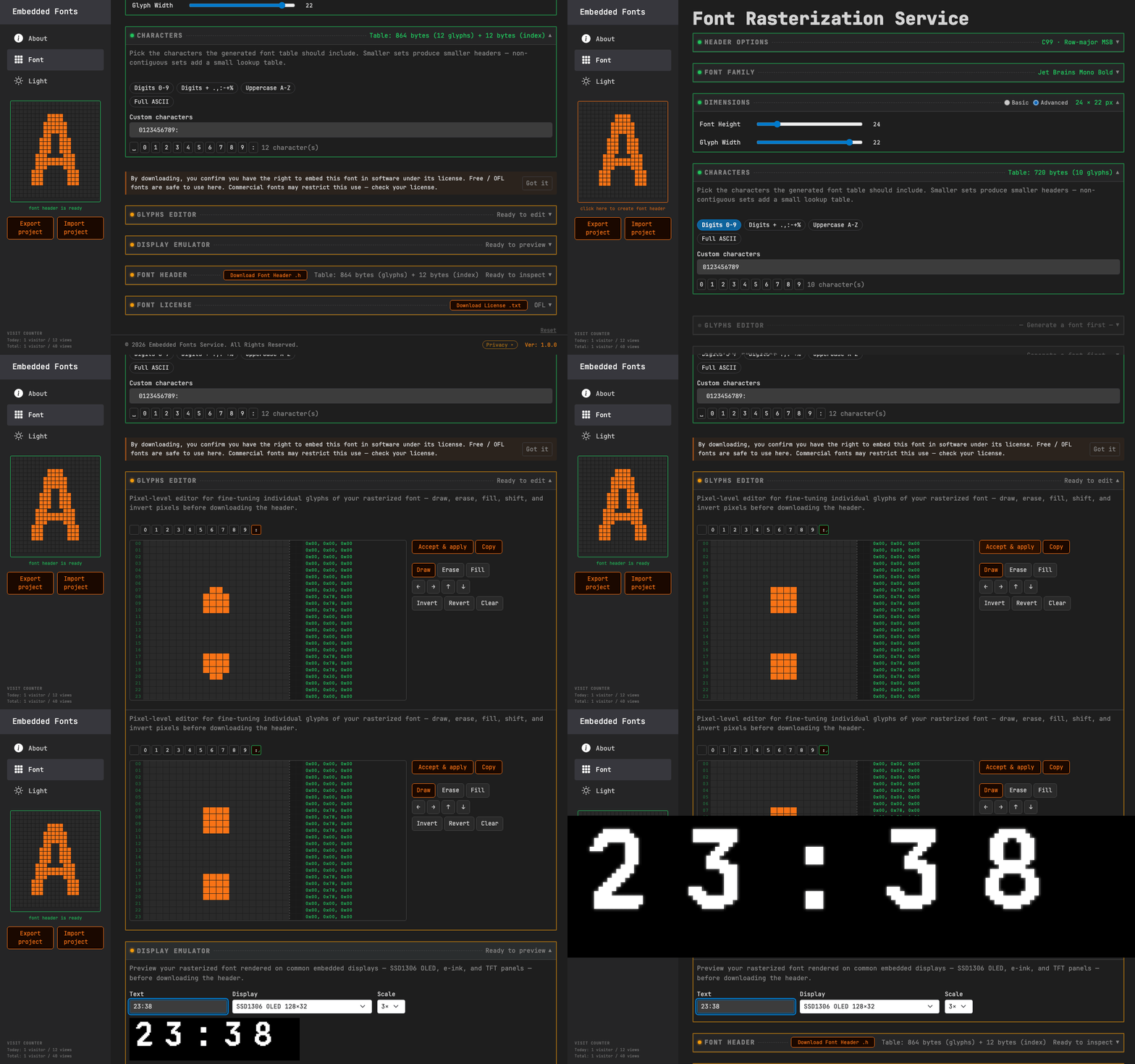
How EmbeddedFontMaker Works
Rasterize a font, trim it to the characters you need, edit pixels by hand, preview on your display, download a ready-to-compile C header.
Open Font Tool →How it works
Step 1 — Pick a font and size
Choose a family and weight from the OFL font library, set the cell dimensions with sliders, and see a live pixel preview update.
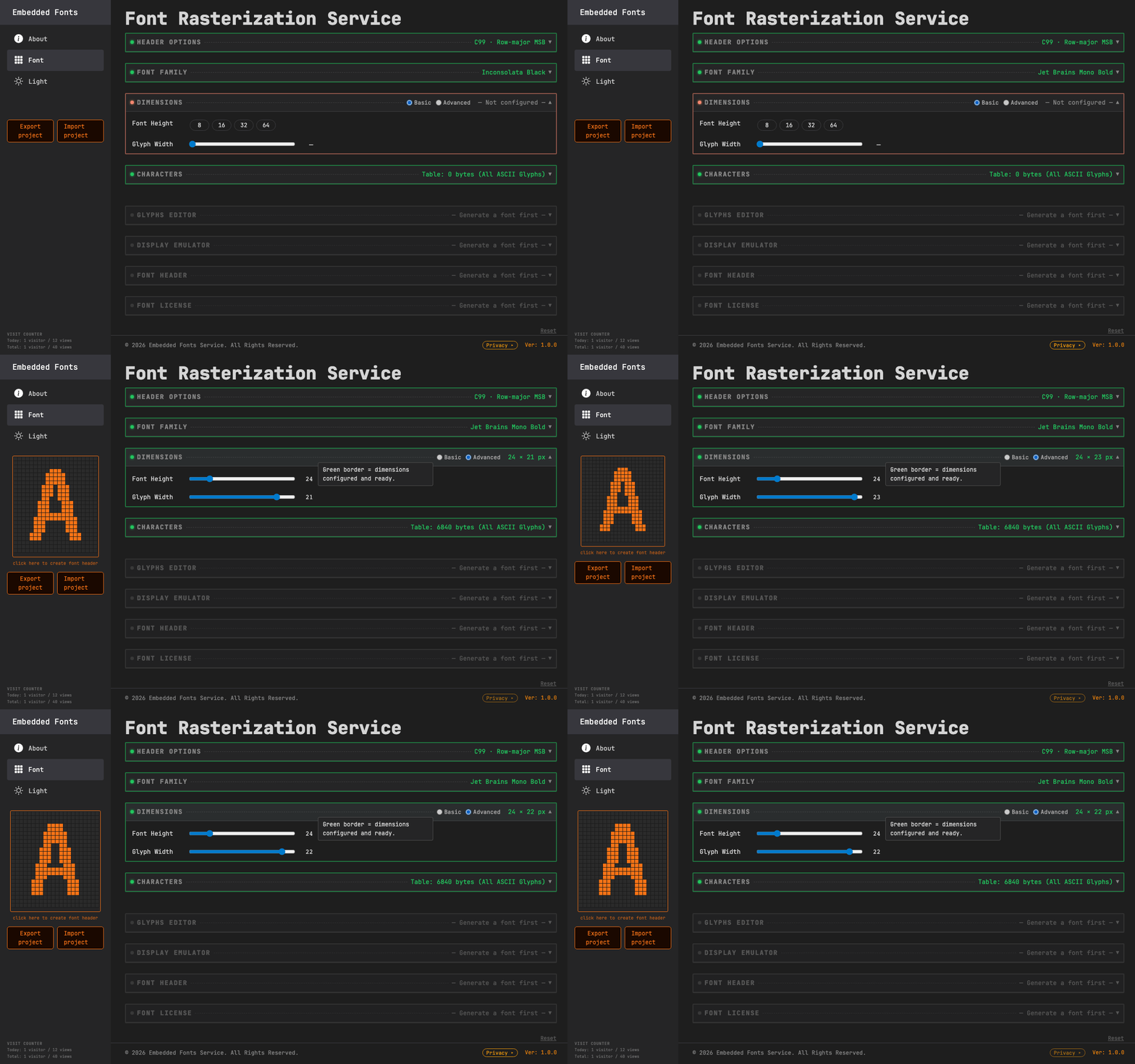
Step 2 — Select only the characters you need
Choose a preset (Digits, ASCII) or type any characters; a live byte counter shows exactly how much flash the table will occupy.
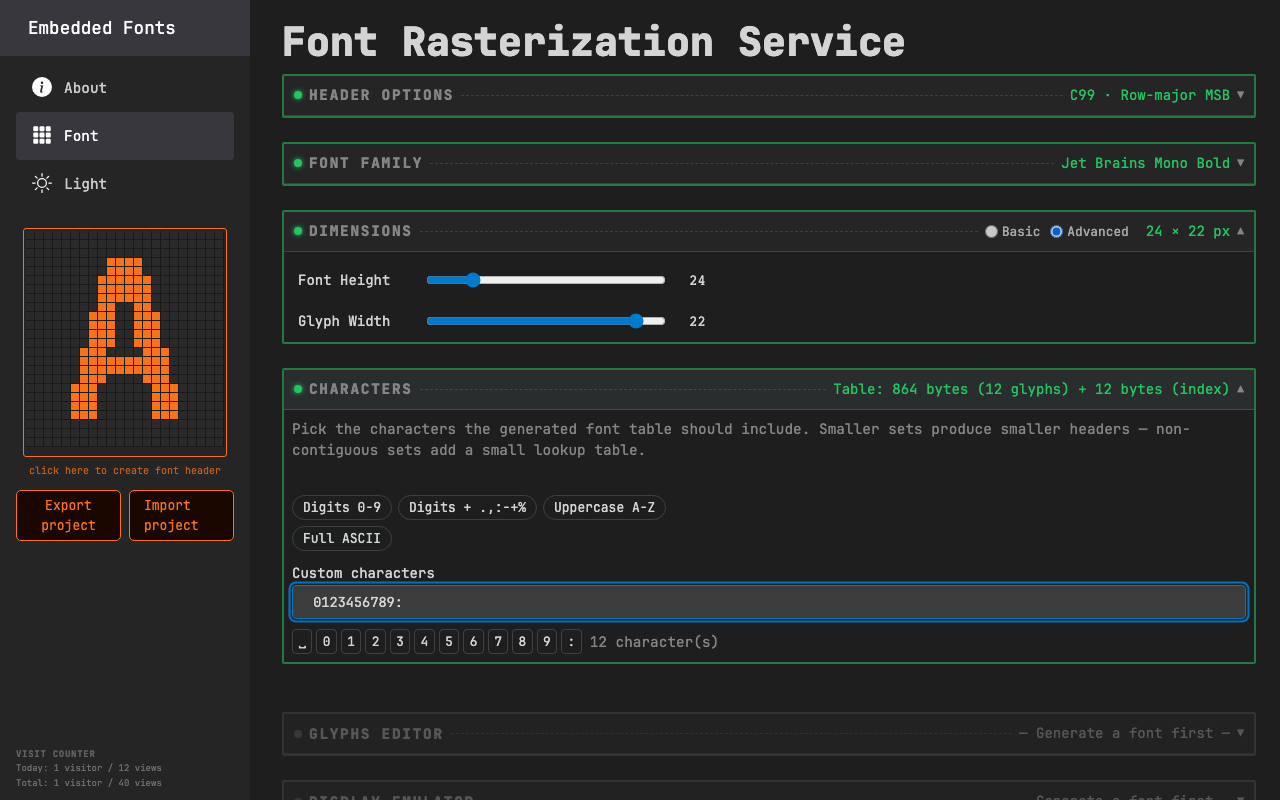
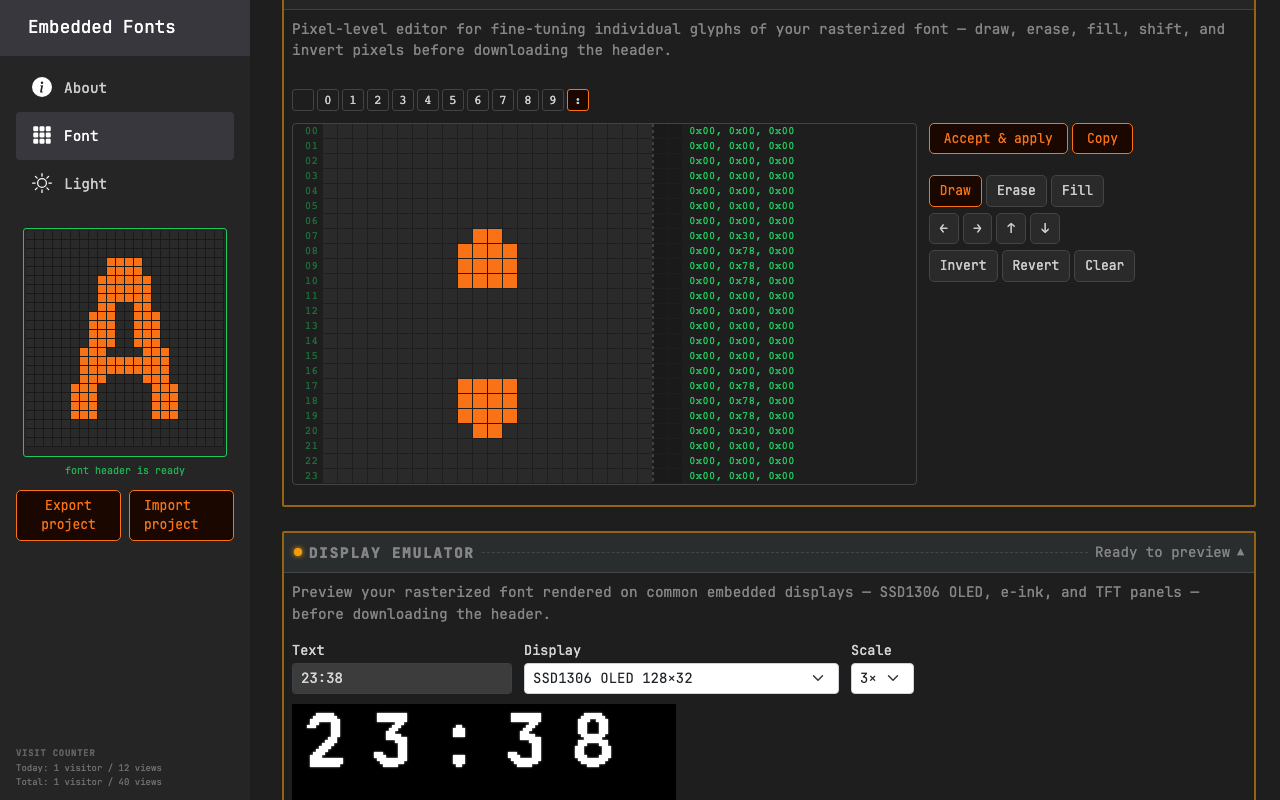
Step 3 — Fix glyphs pixel by pixel
Open any character in the Glyph Editor; draw, erase, shift, invert — changes appear in the preview immediately.
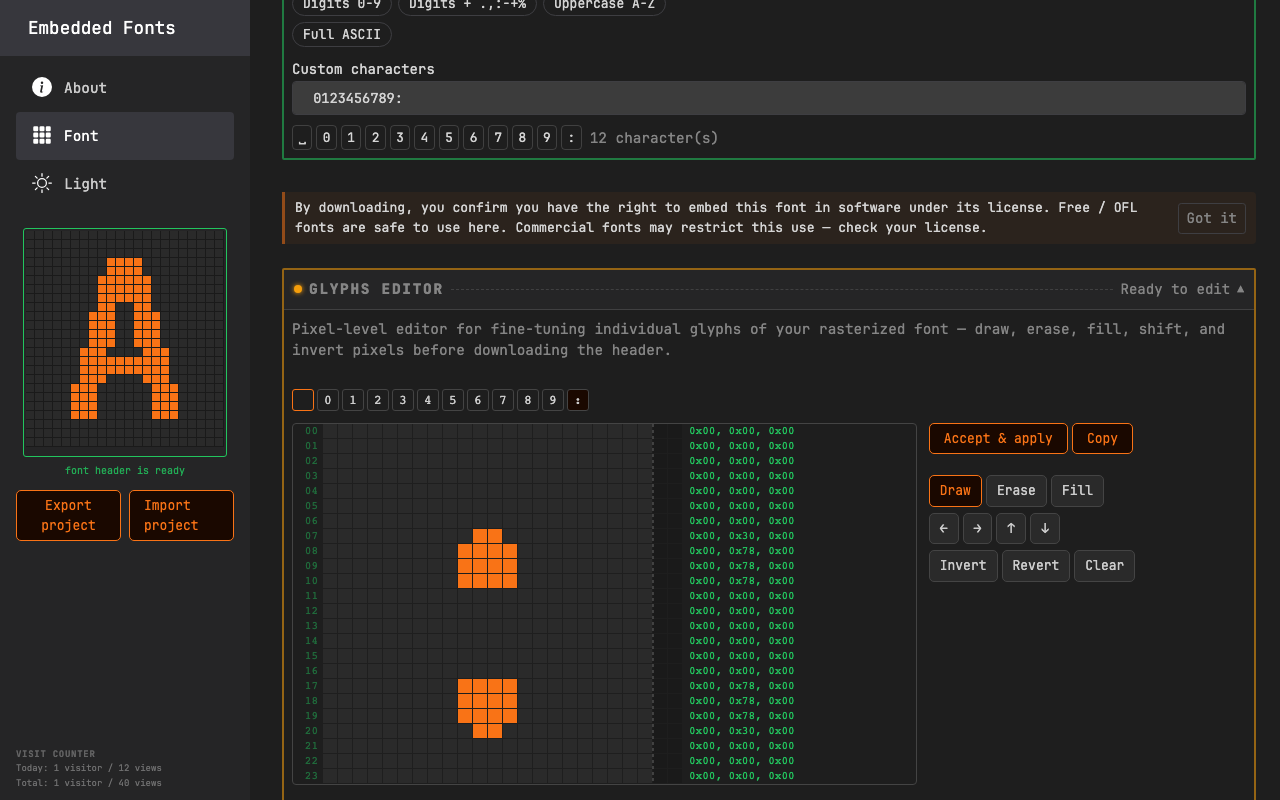
Step 4 — Preview on your target display
Type any string and watch it render on an emulated SSD1306, e-ink, or other display at actual pixel density.
Step 5 — Download a ready-to-compile header
Choose a platform envelope (Generic C99, AVR/Arduino PROGMEM, PIC XC8, ESP-IDF),
get a .h file with metadata #defines and an optional
reference renderer; optionally download a C++14 wrapper with
glyph(char) and a configurable fallback.
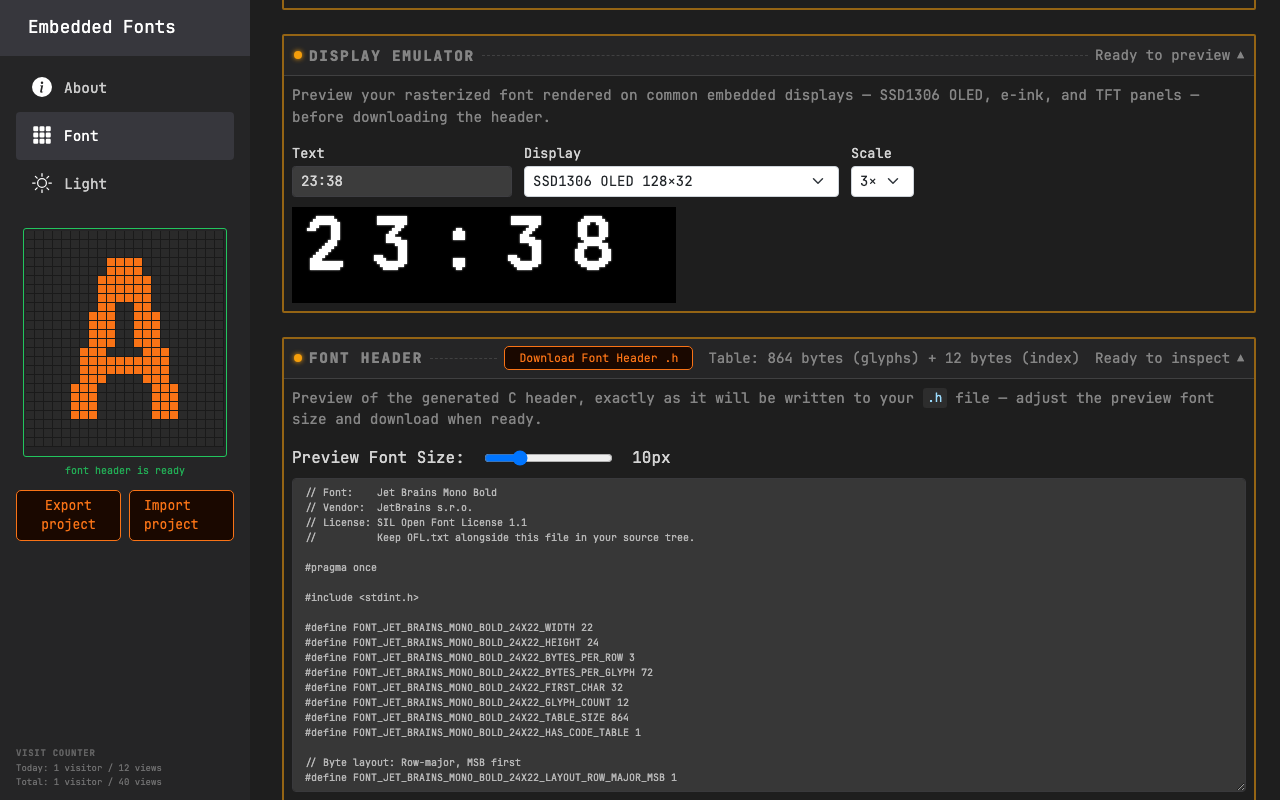
Generated header excerpt
Excerpt from a header generated for JetBrains Mono Bold at 24×22 px, with the character set trimmed to digits, space, and colon, using the Generic C99 envelope.
// Font:    JetBrains Mono Bold
// Vendor:  JetBrains
// License: SIL Open Font License 1.1
//          Keep OFL.txt alongside this file in your source tree.

#pragma once

#include <stdint.h>

#define FONT_JETBRAINS_MONO_BOLD_24X22_WIDTH 22
#define FONT_JETBRAINS_MONO_BOLD_24X22_HEIGHT 24
#define FONT_JETBRAINS_MONO_BOLD_24X22_BYTES_PER_ROW 3
#define FONT_JETBRAINS_MONO_BOLD_24X22_BYTES_PER_GLYPH 72
#define FONT_JETBRAINS_MONO_BOLD_24X22_FIRST_CHAR 32
#define FONT_JETBRAINS_MONO_BOLD_24X22_GLYPH_COUNT 12
#define FONT_JETBRAINS_MONO_BOLD_24X22_TABLE_SIZE 864
#define FONT_JETBRAINS_MONO_BOLD_24X22_HAS_CODE_TABLE 1

// Byte layout: Row-major, MSB first
#define FONT_JETBRAINS_MONO_BOLD_24X22_LAYOUT_ROW_MAJOR_MSB 1

#define FONT_READ_BYTE(p) (*(p))

const uint8_t font_jetbrains_mono_bold_24x22[] = {
    // @72 '0'
    0x00, 0x00, 0x00,  // Row 00:        |                        |
    0x00, 0x00, 0x00,  // Row 01:        |                        |
    0x00, 0x00, 0x00,  // Row 02:        |                        |
    0x00, 0xFC, 0x00,  // Row 03:        |        ######          |
    0x01, 0xFE, 0x00,  // Row 04:        |       ########         |
    0x03, 0xFF, 0x00,  // Row 05:        |      ##########        |
    0x03, 0x87, 0x00,  // Row 06:        |      ###    ###        |
    0x07, 0x03, 0x80,  // Row 07:        |     ###      ###       |
    0x07, 0x03, 0x80,  // Row 08:        |     ###      ###       |
    ...

    // @792 ':'
    0x00, 0x00, 0x00,  // Row 00:        |                        |
    0x00, 0x00, 0x00,  // Row 01:        |                        |
    0x00, 0x00, 0x00,  // Row 02:        |                        |
    0x00, 0x00, 0x00,  // Row 03:        |                        |
    0x00, 0x00, 0x00,  // Row 04:        |                        |
    0x00, 0x00, 0x00,  // Row 05:        |                        |
    0x00, 0x00, 0x00,  // Row 06:        |                        |
    0x00, 0x30, 0x00,  // Row 07:        |          ##            |
    0x00, 0x78, 0x00,  // Row 08:        |         ####           |
    0x00, 0x78, 0x00,  // Row 09:        |         ####           |
    0x00, 0x78, 0x00,  // Row 10:        |         ####           |
    ...
};

// Sparse character set: this font does not cover a contiguous codepoint range.
// font_jetbrains_mono_bold_24x22_codes[] lists the included codepoints in ascending order; a
// character's glyph index is its position in that array (see the reference
// renderer below).
static const uint8_t font_jetbrains_mono_bold_24x22_codes[] = {
    0x20, 0x30, 0x31, 0x32, 0x33, 0x34, 0x35, 0x36, 0x37, 0x38, 0x39, 0x3A
};
Why this tool
- Character subset selector — include only the glyphs your firmware needs; a live counter shows the flash footprint in bytes
- Per-pixel glyph editor — fix auto-rasterized glyphs by hand, shift bitmaps, draw from scratch
- Display emulator — preview on SSD1306, e-ink, and other targets before downloading
- Platform envelopes — Generic C99, AVR/Arduino (PROGMEM), PIC XC8, ESP-IDF; or a fully custom prologue/declaration/epilogue
- Optional C++14 wrapper —
glyph(char c)with a configurable fallback; compiles with-fno-exceptions -fno-rtti - Project export/import — save settings and hand-edited glyphs to a versioned JSON file; import resumes exactly where you left off
- OFL font library — open-source fonts with multiple weights and styles, pre-cleared for commercial use
- Plain C output —
const uint8_tarray with#definemetadata and an optional referencedraw_char/draw_strrenderer; no dependencies - Runs in the browser, free
A clock font in one minute
Pick a font and size, trim to digits and a colon, nudge a couple of pixels in the Glyph Editor, and preview the result on an SSD1306 128×32 display — all without leaving the browser.